Voice Models
Last update: April 19, 2026
What is a Voice Model
-
In the field of AI, is a program that was trained to recognize certain patterns or make certain decisions.
-
In this case, voice models are models trained to replicate a voice, and with AI they apply it to the input audio.
-
There are plenty of them uploaded to the internet, made by the public. And the best way to make them is with RVC.
Voice Model Files
PTH:
- This file is the model itself.
- Contains data regarding pitch.
- While training, RVC generates other .PTHs named
D_andG_, but these are the checkpoints, not usable models.
INDEX:
- Contains data regarding the voice's accent and speech manner.
- File is additional, but usually crucial for the quality of the model.
- While training, RVC generates two .INDEX file, but the right one will be named
added_by default.
Be sure to upload the correct files mentioned before.
As people sometimes upload them incorrectly.
How to Search Voice Models
Methods to find one online.

- This is a forum channel in AI Hub where people upload their own voice models.
- Searching here is specially useful if you need the model as a link, as the posts include one.
1. Enter the channel
- If you haven't already, join AI Hub here.
- Then go to the
#voice-modelsforum channel.
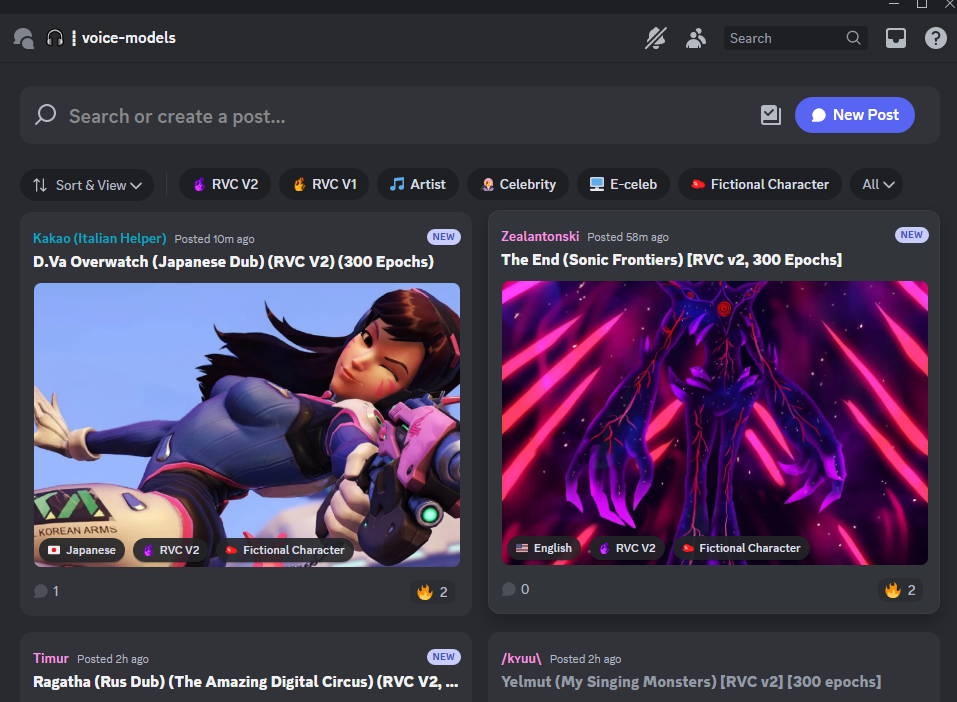
2. Search
- In the upper search bar, search your model & click the post.
3. Download
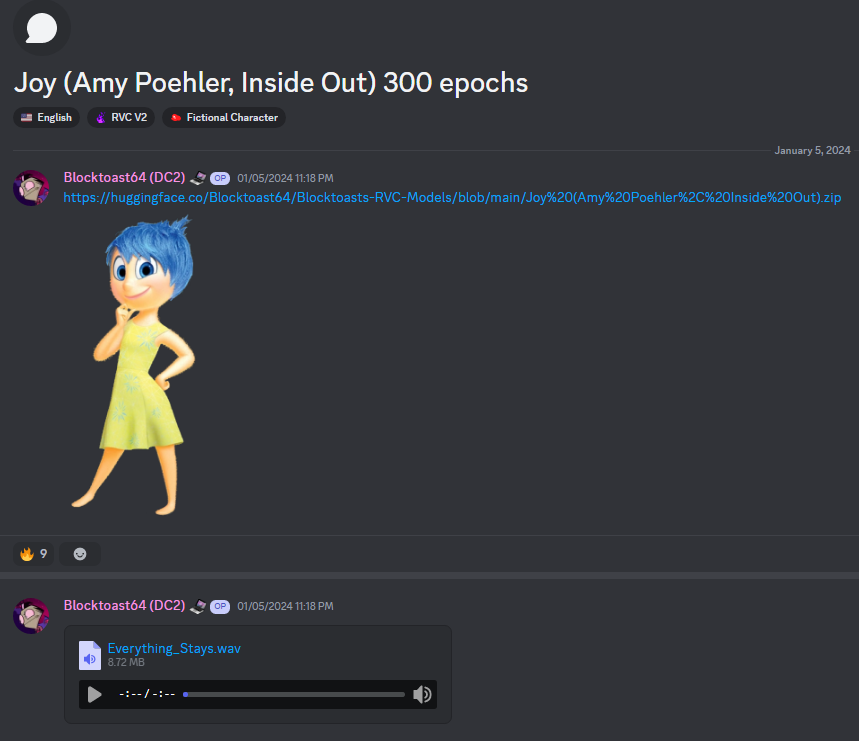
- Click the Hugging Face link to download the model, or copy it if that's what you need.
-
You can listen to the audio sample to get a preview of the it.

- This is a free & open-source platform for storing Any Type AI models, interactive AI apps, & datasets.
Reminder: This is a General AI Platform, not every model is an RVC one.
-
Go to the models page & search the model in the
Filter by namebar.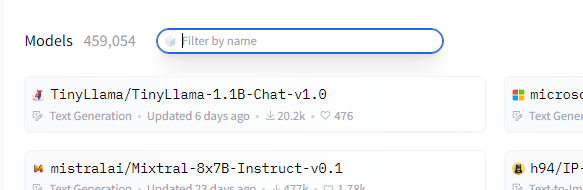
-
Click the model & go to the
Files and versionstab. -
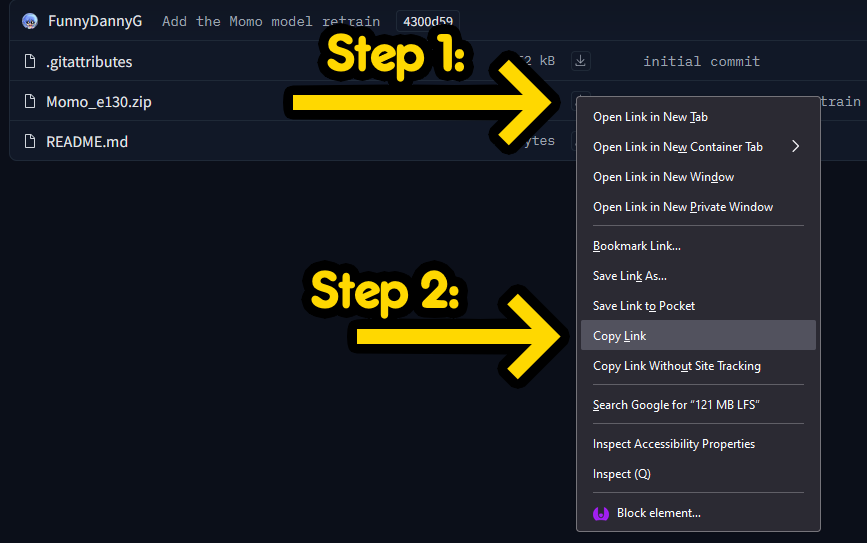
To download it, click the download symbol ( ) on the right of the .ZIP file.
If you need its link, right-click it and copy the address.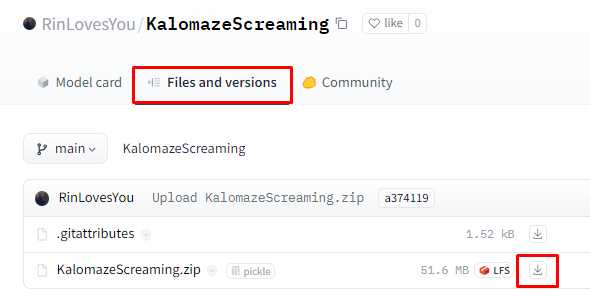
In case there isn't a .ZIP.
Download the correct files of the model. Then if you need its link, upload it to HF.
If you couldn't find one, you have 3 options:
- Make the model yourself
- Pick a different one.
- Request a free model via AI HUB's
#request-modelsforum channel. Be aware that we don't allow paid commissions
Uploading to Hugging Face
-
-
1. Zip the model
-
Select the correct .PTH & .INDEX & zip them into a .ZIP file.
-
Ensure it's .ZIP & not .RAR or .7ZIP.
2. Log in
- If you haven't already, create an account & log in.
3. Make repository
-
Once logged in, tap your profile on the upper right corner, & then
New Model.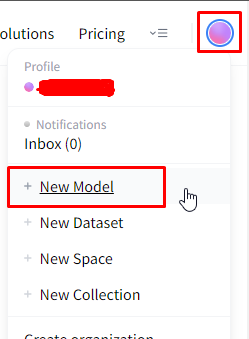
-
In
Model nameyou name the repo as you want. -
Make sure License is set as
openrail& the repo is set asPublic. -
Once done, hit
Create model.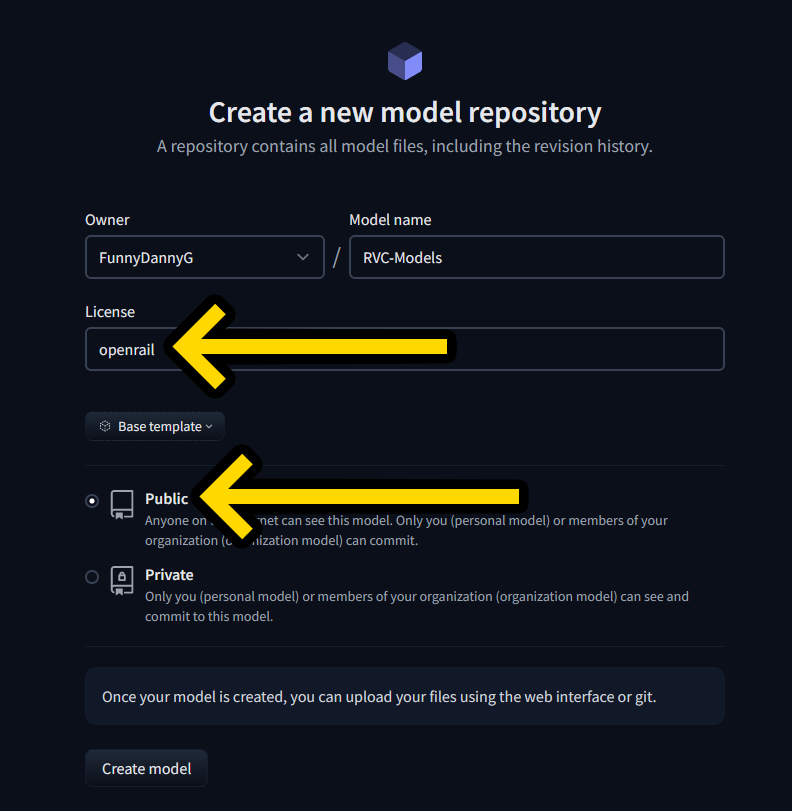
4. Upload model
-
It will redirect you to the repo.
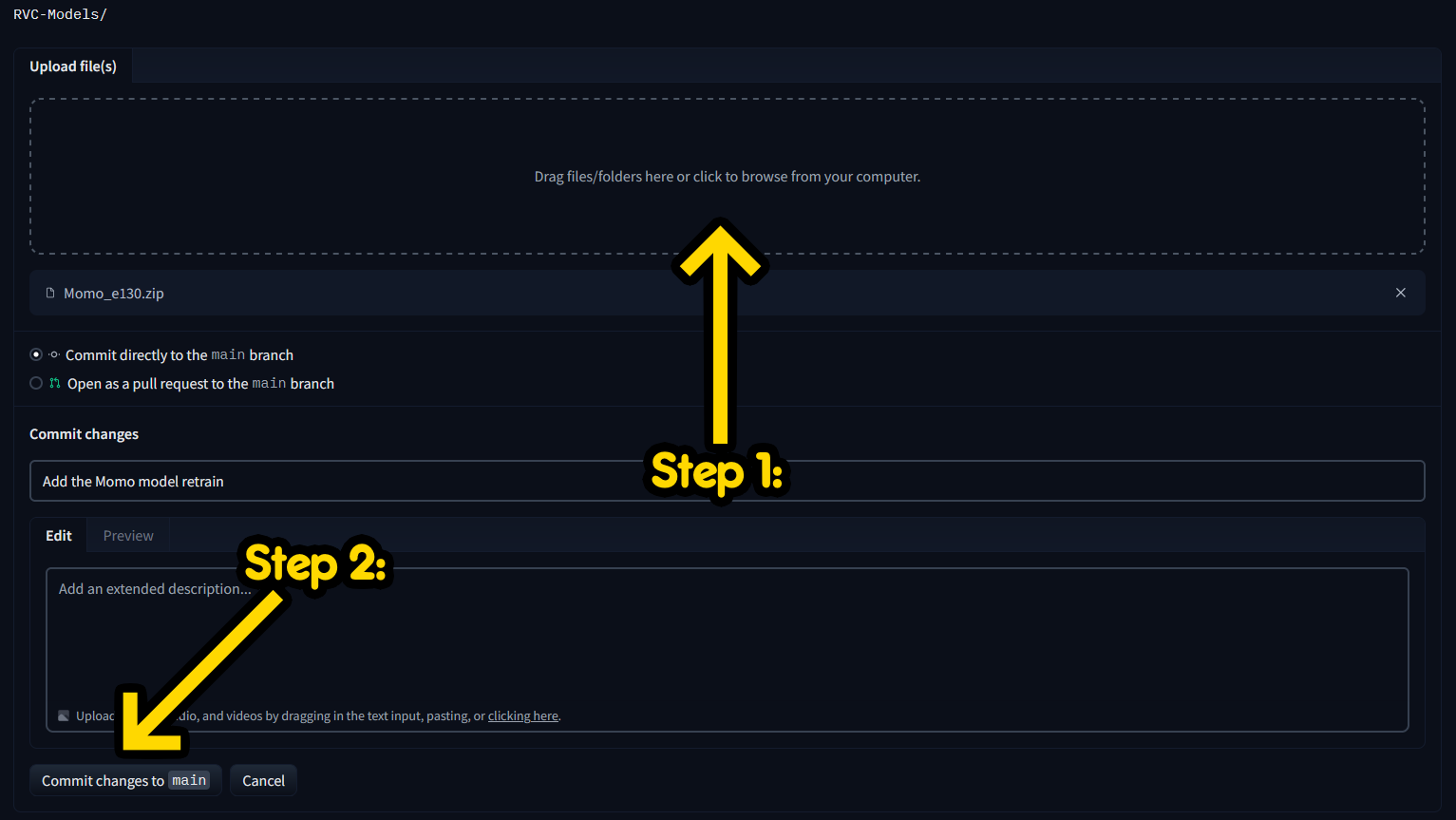
Go to theFiles and versionstab on the center, click+ Add fileon the right & thenUpload files.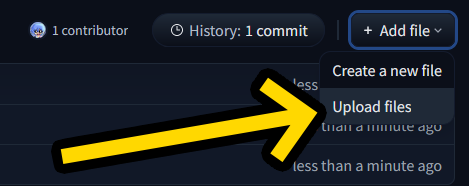
-
Tap the upload box & submit the ZIP. Or just drag & drop.
-
Tap on
Commit changes to main& the model will begin to upload.
5. Copy link (optional)
-
Once it's done, it will redirect you to the files list.
-
So if you need its link, right-click the download button ( ) of the .ZIP file on the right, and click
Copy Link.